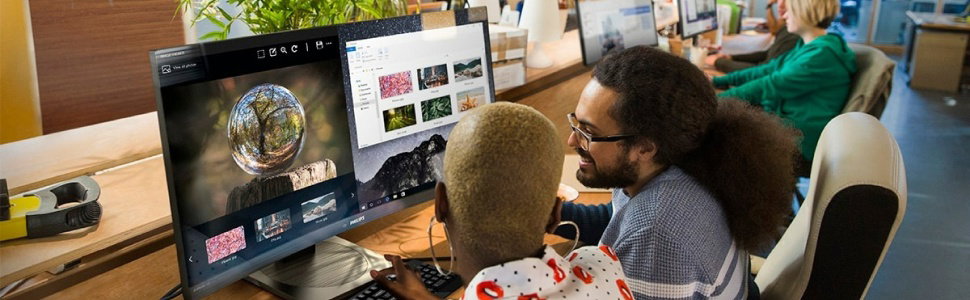
Business monitor
Redefining workflow productivity
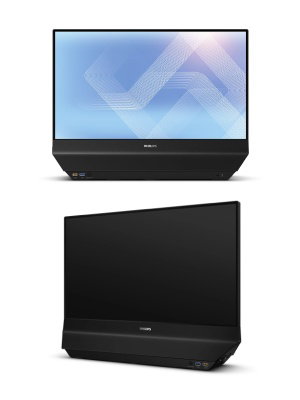
Business monitor
Two screens, one smarter interaction
This space-saving, dual-sided 120 Hz monitor with HDMI and USB-C on each side delivers unmatched convenience. Two users can share one device, or a single user can extend or mirror content across both screens for seamless collaboration.

- 24 (23.8"/60.47 cm diag.)
- 1920 x 1080 (Full HD)
- 5000 series
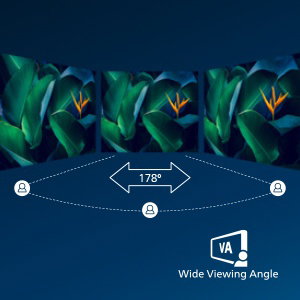
IPS LED wide view technology for image and colour accuracy
IPS displays use an advanced technology that gives you extra-wide viewing angles of 178/178 degrees, making it possible to view the display from almost any angle. Unlike standard TN panels, IPS displays give you remarkably crisp images with vivid colours, making them ideal not only for Photos, movies and web browsing, but also for professional applications that demand colour accuracy and consistent brightness at all times.
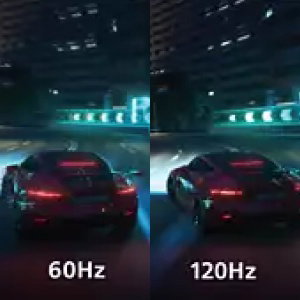
120 Hz refresh rates for ultra-smooth images
For gaming and video performance, you demand display with lag free, ultra-smooth images. This Philips display redraws the screen image up to 120 times per second, much faster than a standard display. A lower frame rate can make enemies appear to jump from spot to spot on the screen, making them difficult targets to hit. With 120 Hz frame rate, you get those critical missing images on the screen which shows enemy movement in ultra-smooth motion so you can easily target them.

DualView: Extend or clone the display to the opposite screen
Deliver a unique experience across both sides of your monitor. From a single PC or notebook, DualView lets you operate each screen independently—just like in a daisy-chained setup. Use the dual screens like a standard two-monitor workspace, present and collaborate with ease, or tailor each screen for customer-facing experiences. While extending your desktop, use OSD Sync to adjust display settings such as brightness, sharpness, SmartImage and more on both screens simultaneously for a consistent viewing experience.
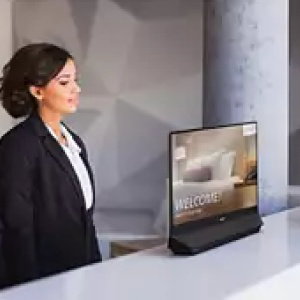
Dual-sided screens: Easy access from both sides.
This Philips monitor features a unique dual-sided design, offering screens on both the front and back. Discover new ways to work, enhance customer interactions and even enable two people to use the same device simultaneously. The built-in 180° swivel lets you quickly rotate the monitor to face the screen you need—no repositioning or extra equipment required. With two displays working for you at once, you get expanded versatility and convenience in any environment.
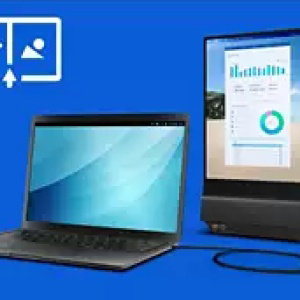
SmartView: multitasking from a single source
Designed for efficient multitasking, SmartView enables split-screen viewing on each display that is using only one PC or notebook. View and manage multiple applications at once to keep your workflow smooth and uninterrupted. Activate both SmartView and DualView to extend or clone a split-screen view onto the back display, enabling you to use up to three applications at once from only one PC or notebook.

Maximise your space with fewer monitors
Designed with screens on both the front and back, this dual-sided Philips monitor allows two people to work simultaneously on a single device. By combining two displays into one compact design, it delivers the convenience of a dual-monitor setup while using only half the space—ideal for shared workspaces, front desks and collaborative environments.

SoftBlue Technology: for comfortable viewing
SoftBlue technology offers increased visual comfort and protection against adverse health effects caused by prolonged exposure to blue light. With the low blue-light panel, the ratio of display emission light in the range of 415-455 nm to 400-500 nm is reduced to less than 50%. As a result, the SoftBlue technology provides optimal visual comfort, minimises eye strain and supports sustained focus. Not to mention, SoftBlue LED technology is tested and TÜV Rheinland Low Blue Light (Hardware Solution) certified for its effectiveness in reducing blue light emissions.
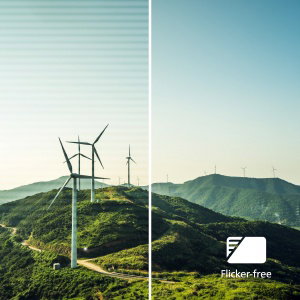
Less eye fatigue with Flicker-Free technology
Due to the way brightness is controlled on LED-backlit screens, some users experience flicker on their screen which causes eye fatigue. Philips Flicker-Free technology applies a new solution to regulate brightness and reduce flicker for more comfortable viewing.

Eyesafe-certified blue light protection and colour accuracy
The Philips display meets the Eyesafe CERTIFIED 2.0 standard to truly protect you from long exposure to blue light. The always-on blue light filter not only helps reduce digital eye strain, but also guarantees colour integrity.
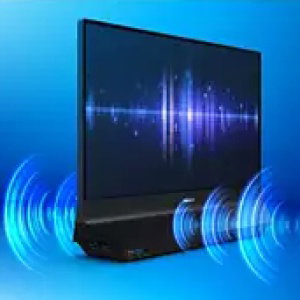
Built-in stereo speakers for multimedia
A pair of premium-quality stereo speakers built into a display device. They may be visible front firing, or invisible down firing, top firing, rear firing etc. depending on model and design.