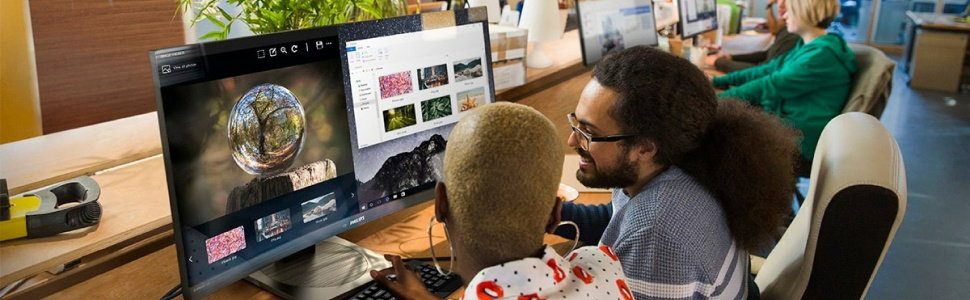
Professional use collection
Philips monitors meet the needs of today’s dynamic, polyvalent professionals with a wide array of innovative solutions designed to maximize productivity, deliver true-to-life visuals, enhance well-being, and safeguard the environment.
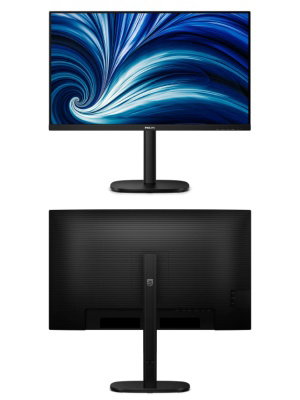
LCD monitor with USB-C
Redefining workflow productivity
Speed through daily tasks in comfort with this monitor's SoftBlue technology, Quad HD resolution and 100 Hz refresh rate. Additionally, SmartErgoBase adds an ergonomic touch to the monitor's feature list.

- Panel Size: 31.5 inch/80 cm
- LCD panel type: IPS technology
- Display colours: 1.07B (10 bits)
- Response time (typical): 4 ms (Grey to Grey)
- Contrast ratio (typical): 1000:1
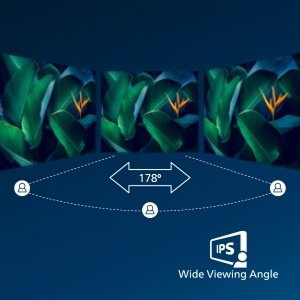
IPS LED wide view technology for image and colour accuracy
IPS displays use an advanced technology that gives you extra-wide viewing angles of 178/178 degrees, making it possible to view the display from almost any angle. Unlike standard TN panels, IPS displays give you remarkably crisp images with vivid colours, making them ideal not only for Photos, movies and web browsing, but also for professional applications that demand colour accuracy and consistent brightness at all times.
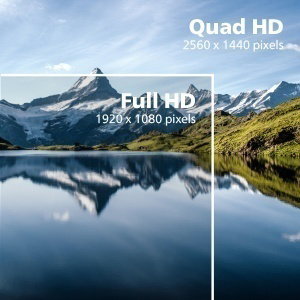
Crystal clear images with Quad HD 2560 x 1440 pixels
These Philips screens deliver CrystalClear, Quad HD 2560 x 1440 or 2560 x 1080 pixel images. Utilising premium performance panels with a dense pixel count enabled by broad bandwidth sources, these new displays will make your images and graphics come alive. Whether you are a demanding professional requiring extremely detailed information for CAD-CAM solutions using 3D graphic applications, or a financial wizard working on huge spreadsheets, Philips displays will give you CrystalClear images.
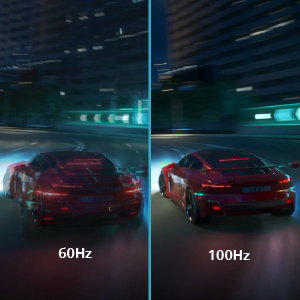
100 Hz refresh rates for ultra-smooth images
This Philips display refreshes the screen image up to 100 times per second which makes this monitor much faster than a standard display. With a 100 Hz frame rate, gamers are able to find those critical images on the screen that show enemy movement in an ultra-smooth motion so that they are easily targetable.

SoftBlue Technology: for comfortable viewing
SoftBlue LED technology, combined with the monitor's low blue light panel, is an effective solution for reducing the adverse wellness effects caused by strong exposure to blue light. In this monitor's panel, the ratio of light is reduced by nearly 50 percent, while the SoftBlue LED technology works simultaneously by reducing harmful blue light rays emitted from the screen. Furthermore, the SoftBlue LED technology is tested and certified by TUV Rheinland Eyesafe for its effectiveness in reducing blue light emissions.
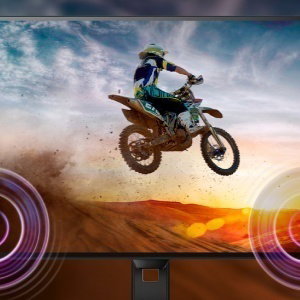
Built-in stereo speakers for multimedia
A pair of premium-quality stereo speakers built into a display device. They may be visible front firing, or invisible down firing, top firing, rear firing etc. depending on model and design.
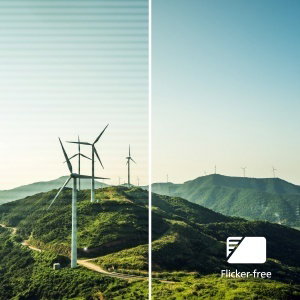
Less eye fatigue with Flicker-Free technology
Due to the way brightness is controlled on LED-backlit screens, some users experience flicker on their screen which causes eye fatigue. Philips Flicker-Free technology applies a new solution to regulate brightness and reduce flicker for more comfortable viewing.
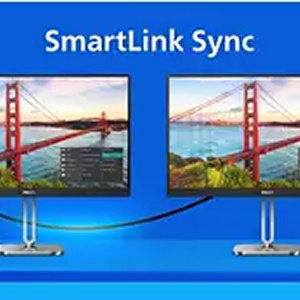
Smart Link Sync: for uniform daisy-chained displays
Philips display meets the TUV Rheinland Eyesafe standard to truly protect you from long exposure to blue light. The always-on blue light filter not only helps reduce digital eye strain, but also guarantees colour integrity.

Eyesafe-certified blue light protection and colour accuracy
Unlike traditional built-in KVM monitor buttons, the smart KVM allows for switching between sources with the click of a button on your keyboard. When all devices are properly connected, users can easily switch between sources by clicking the "Ctrl" key three times.
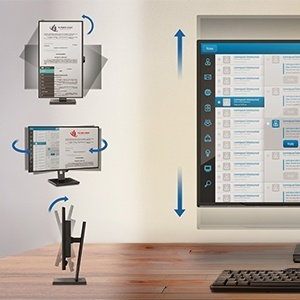
SmartErgoBase enables user-friendly ergonomic adjustments
The SmartErgoBase is a monitor base that delivers ergonomic display comfort and provides cable management. The base can swivel, tilt and rotate to various angles to ensure maximum comfort. The height-adjustable stand guarantees the optimal viewing level, reducing the physical strains of a long workday, while cable management reduces cable clutter and keeps the workspace neat and professional.
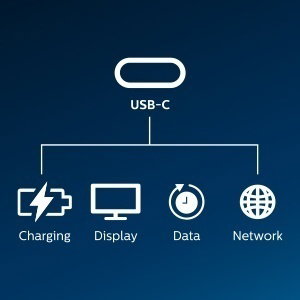
RJ-45 to USB-C gives easy network connection with security
Simplify all peripherals from monitor to PC using one-cable docking USB Type-C connector, including networking, superior-resolution video output from PC to monitor, and surfing on the Internet without an additional network cable, even without a LAN port on your notebook. RJ45 connection through USB-C offers a fast and secure connection when needed. Getting the fastest data speeds allows you to transfer data from a HDD to your PC faster than ever. Additionally, USB-C with power delivery can even enable you to power and charge your notebook from the monitor, eliminating the need for extra power cables.