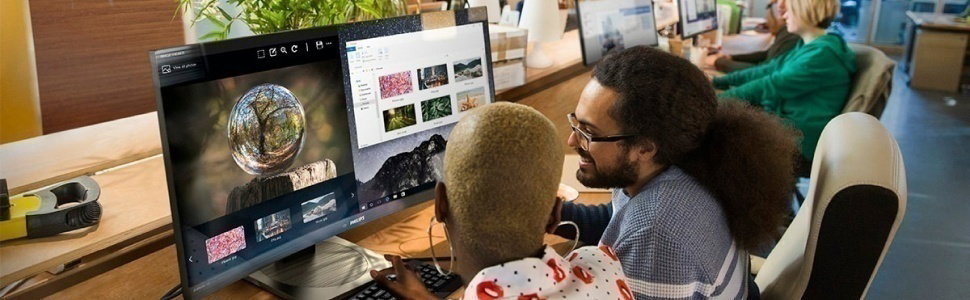
Professional use collection
Philips monitors meet the needs of today’s dynamic, polyvalent professionals with a wide array of innovative solutions designed to maximize productivity, deliver true-to-life visuals, enhance well-being, and safeguard the environment.
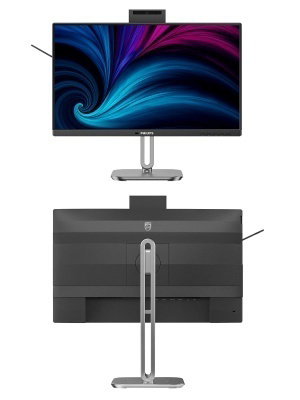
LCD monitor with USB-C
Redefining workflow productivity
Work comfortably with SoftBlue technology and a smooth 120 Hz refresh rate. USB-C connectivity and an adjustable Windows Hello compatible webcam enhance productivity with the performance and convenience you expect.

- Panel Size: 23.8 inch/60.47 cm
- LCD panel type: IPS technology
- Display colours: 16.7M (8 bit)
- Response time (typical): 4 ms (Grey to Grey)
- Contrast ratio (typical): 1500:1
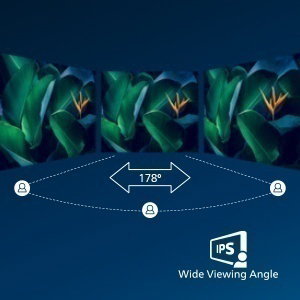
IPS LED wide view technology for image and colour accuracy
IPS displays use an advanced technology that gives you extra-wide viewing angles of 178/178 degrees, making it possible to view the display from almost any angle. Unlike standard TN panels, IPS displays give you remarkably crisp images with vivid colours, making them ideal not only for Photos, movies and web browsing, but also for professional applications that demand colour accuracy and consistent brightness at all times.
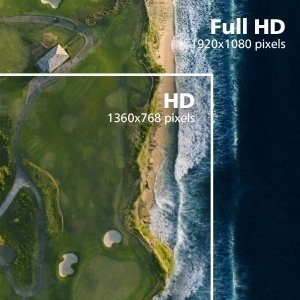
16:9 Full HD display for crisp, detailed images
Picture quality matters. Regular displays deliver quality, but you expect more. This display features enhanced Full HD 1920 x 1080 resolution. With Full HD for crisp detail paired with vivid brightness, incredible contrast and realistic colours, expect a true-to-life picture.
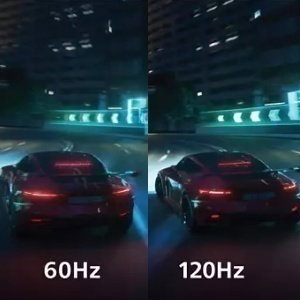
120 Hz refresh rates for ultra-smooth images
The smoother the motion, the less strain on your eyes. This Philips monitor is equipped with an improved 120 Hz refresh rate. Whenever you scroll, switch between applications or navigate complex spreadsheets, you experience smoother and more precise movements. That means you can work as long as you need with minimal visual fatigue—all while increasing the speed of your workflow.

SoftBlue Technology: for comfortable viewing
SoftBlue technology offers increased visual comfort and protection against adverse health effects caused by prolonged exposure to blue light. With the low blue-light panel, the ratio of display emission light in the range of 415-455 nm to 400-500 nm is reduced to less than 50%. As a result, the SoftBlue technology provides optimal visual comfort, minimises eye strain and supports sustained focus. Not to mention, SoftBlue LED technology is tested and TÜV Rheinland Low Blue Light (Hardware Solution) certified for its effectiveness in reducing blue light emissions.
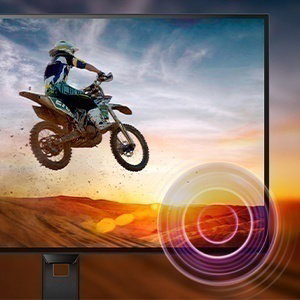
Built-in stereo speakers for multimedia
A pair of premium stereo speakers built into a display device. They may be visible front firing, or invisible down firing, top firing, rear firing etc. depending on model and design.
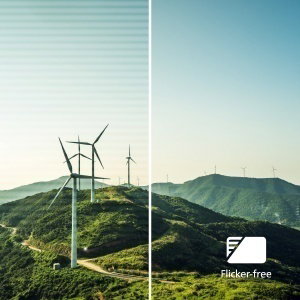
Less eye fatigue with Flicker-Free technology
Due to the way brightness is controlled on LED-backlit screens, some users experience flicker on their screen which causes eye fatigue. Philips Flicker-Free technology applies a new solution to regulate brightness and reduce flicker for more comfortable viewing.
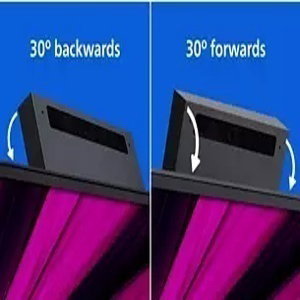
Adjustable Webcam: for video conferencing in comfort.
Level up the comfort of video conferencing with this feature. By adjusting the webcam back and forth by 30 degrees, users can now comfortably call and attend meetings from any position that best suits them.

Eyesafe-certified blue light protection and colour accuracy
The Philips display meets the eyesafe CERTIFIED 2.0 standard to truly protect you from long exposure to blue light. The always-on blue light filter not only helps reduce digital eye strain, but also guarantees colour integrity.
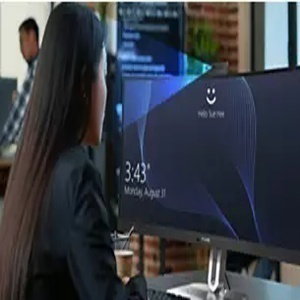
Windows Hello Compatible – Seamless, Secure Access
Log in faster and more securely with Windows Hello. The webcam on this Philips monitor is compatible with Windows Hello, offering quick facial recognition and effortless access - every time you power on.
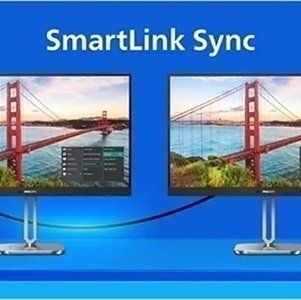
Smart Link Sync: for uniform daisy-chained displays
Easily create a seamless multi-monitor workspace with Smart Link Sync, designed to automatically align display settings across daisy-chained monitors. Whether you're designing, presenting or multitasking, enjoy consistent brightness and colour without manual tweaks. Choose from OSD Sync or Light Sync modes (Low, Mid or Max) on the primary monitor to match your environment. For identical monitors, any mode ensures uniform visuals; for mixed models, Light Sync intelligently adjusts luminance for a balanced, professional look across screens.