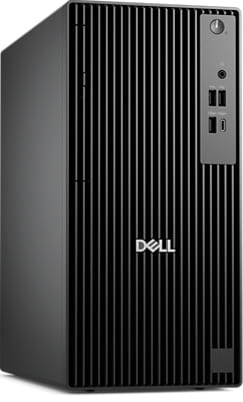
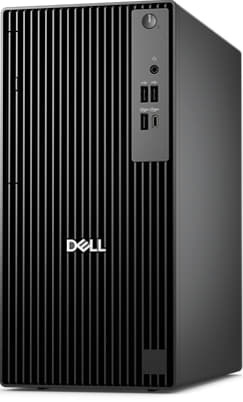
Dell Pro Tower Desktop
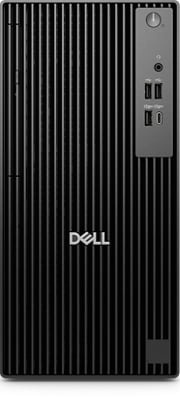
Take computing to the next level
Which configuration is right for you?
Dell Pro Tower
Ideal for tackling demanding projects, you can select from Intel® Core™ processors, up to i7, or upgrade to Intel® Core™ Ultra processors, up to Ultra 7, for AI-enhanced productivity. Featuring up to 64GB DDR5 memory with up to 6400 MT/s, one M.2 SSD slot (expandable to two via Zoom card), three PCIe slots for expansion, native DisplayPort 1.4 and HDMI 2.1.
Next-level AI
Bring AI to your PC
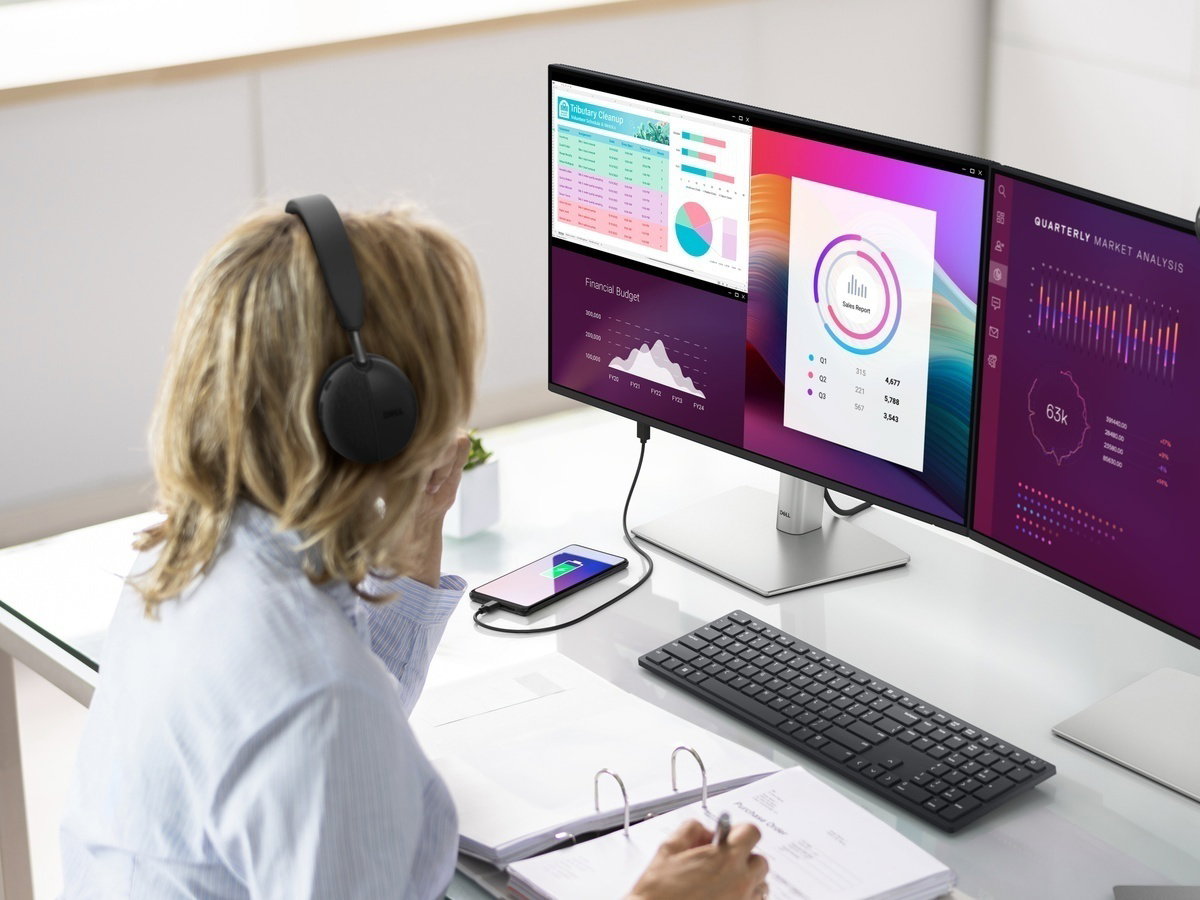
Dell delivers the industry's most comprehensive AI toolkit leveraging NPU technology¹. Dell Pro AI Studio brings AI directly to your device, delivering cloud-like seamlessness without the hefty price tag. Set up and deploy AI with ease in any workplace.

Increased efficiency
Let your desktop work smarter, not harder, with enhanced AI collaboration that uses up to 58% less processor power during Zoom calls with AI background effects².

Faster AI performance
Get up to 50% faster AI performance with Adobe After Effects’ AI Scene Edit Detection³ to speed up your editing workflow and unlock more time for creativity, all while delivering stunning results.

Top AI PC security
Work securely with effortless management on the world's most secure and manageable commercial AI PCs⁴. Built to combat modern cyberattacks, these systems feature advanced hardware and firmware protections, integrated validation for all driver and BIOS updates, and a published schedule for driver and download releases. And, with Intel vPro® options, IT departments get multilayer security, remote management and reliable stability.
Purposeful design
A stylish, elevated design combining sustainability, functionality and powerful performance. Built for durability, all Dell Pro desktops undergo rigorous military-grade testing⁵ to deliver reliable performance you can count on.
Advanced thermals
Re-engineered, it features an enhanced thermal design to optimise airflow, resulting in up to 50% quieter operation⁶.
Organised and customisable accessories
Ultimate configurability
Get more flexibility and future-proof with a variety of storage and expansion options.
Future-proof for upgrades
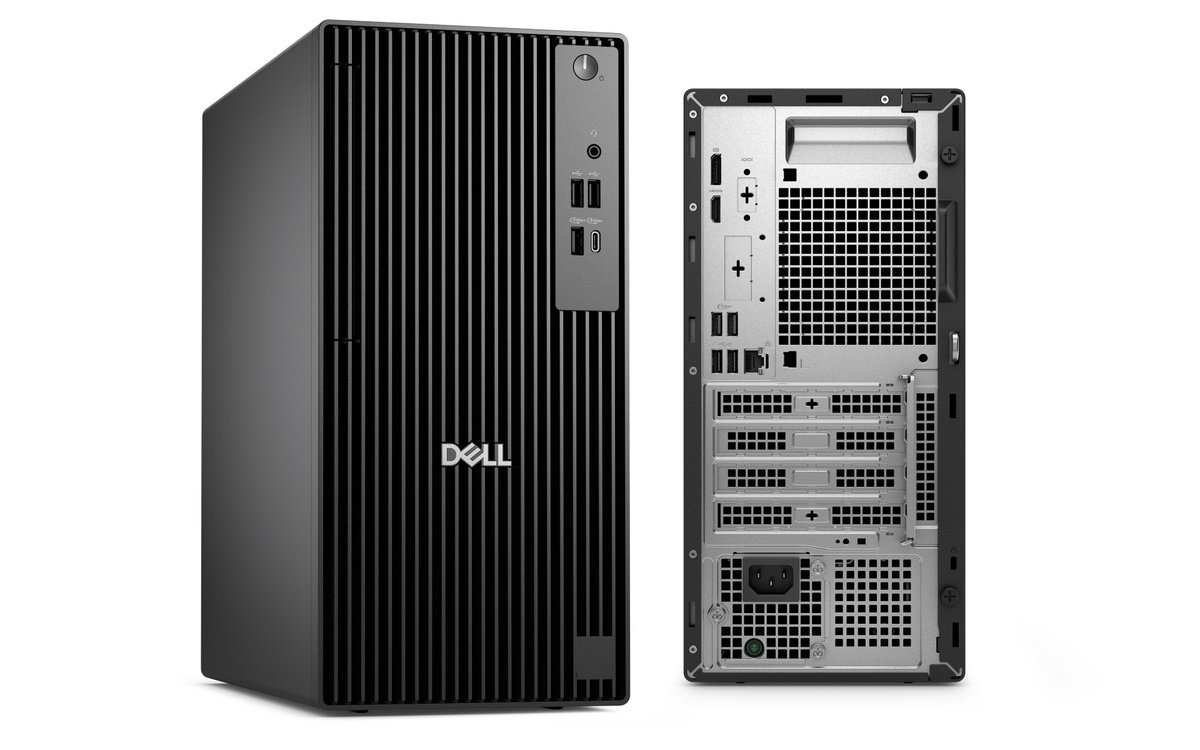
Easily expand functionalities with a no-tools chassis for quick access to internal components and up to 3 PCIe slots.
Connect more
Options include DP and HDMI connectivity supporting up to 8K⁷ resolution for enhanced video experiences, USB-C/-A and Wi-Fi 7⁸.
Unleash power and precision
Conquer demanding projects
Up to 64GB DDR5 memory with up to 6400 MT/s speeds, 1 M.2 SSD and a 2nd M.2 SSD via Zoom expansion card.
Multi-monitor setup
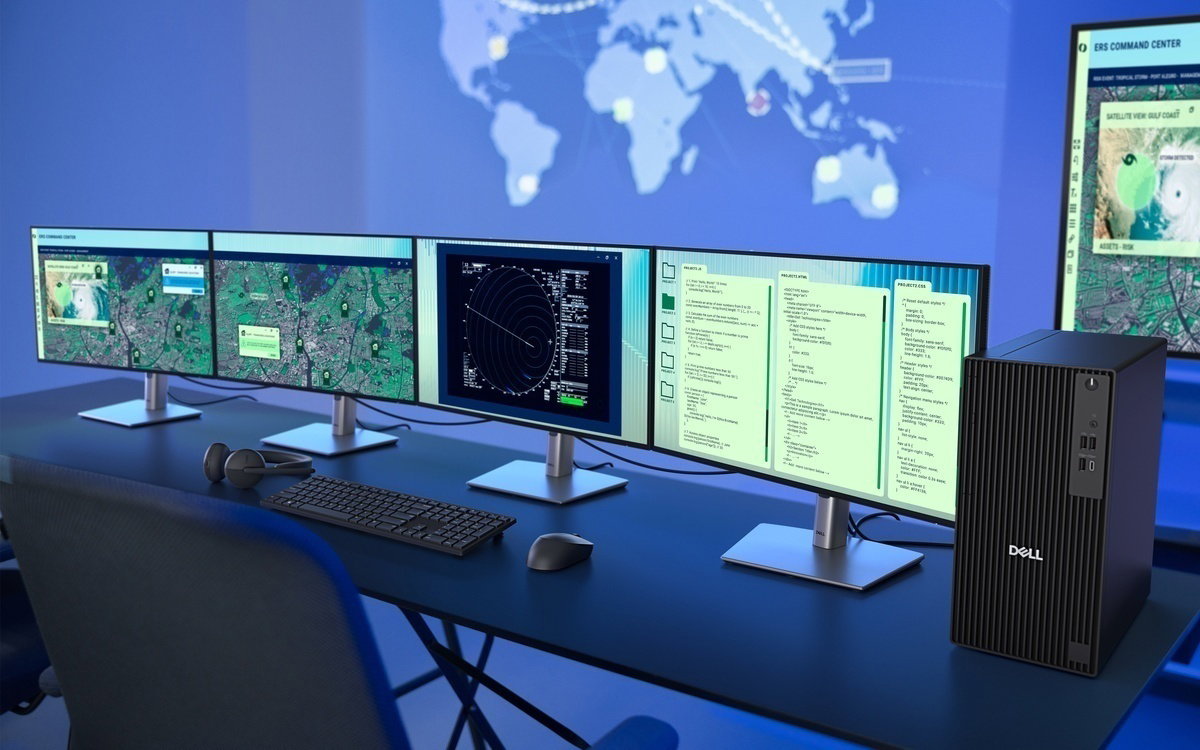
Expand your screen setup with integrated graphics, allowing you to use up to 4 displays at once¹⁰.
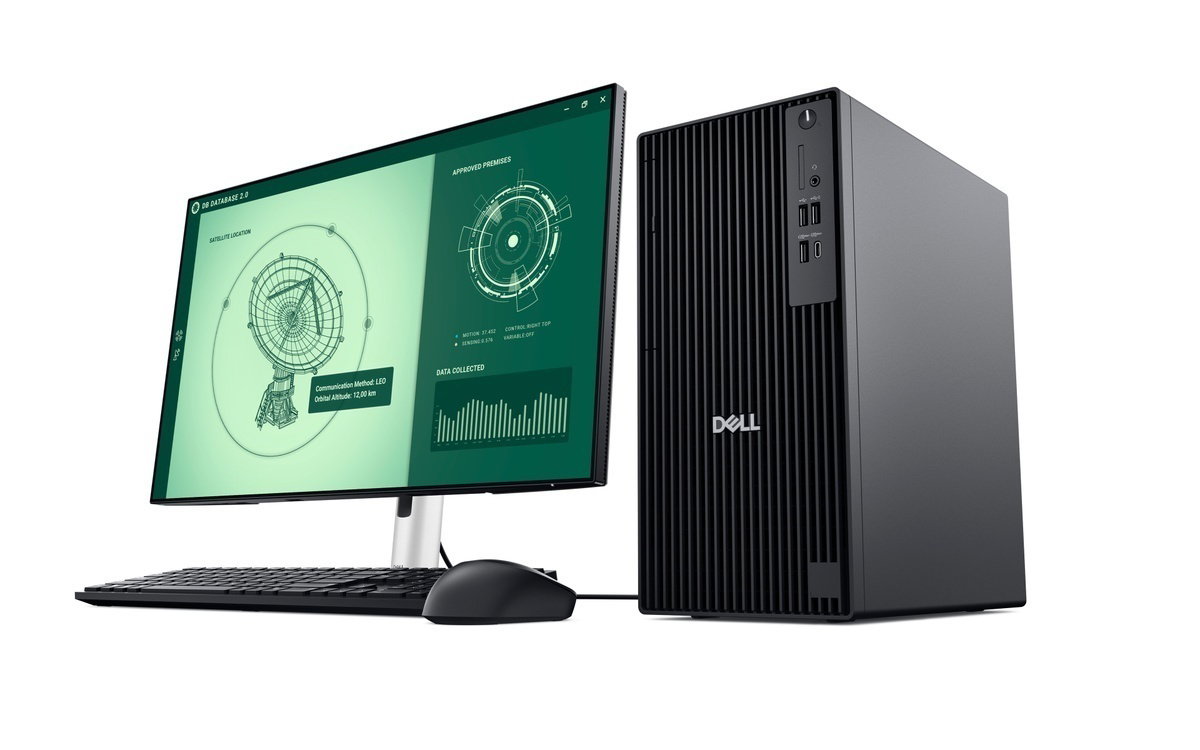
World's most compact tower PC
Optimise your workspace with the most compact tower PC in the industry (under 15L) with versatile expandability⁹.
Enhanced graphics
Enjoy a smooth viewing experience with optional AMD Radeon™ RX graphics.
Modern device management

Single BIOS strategy:
Streamline PC deployment and simplify fleet management with one unified BIOS across Dell Pro Micro, Slim and Tower PCs¹¹.
Built to perform:
Dell Pro desktops are built for reliability and durability, with less than 1% requiring service in their first year¹².
Dell Trusted Update Experience:

Simplify IT
We offer secure¹³ and manageable¹⁴ commercial PCs, along with modern lifecycle services and solutions to make IT management a breeze. Begin your PC refresh with ProDeploy for systems that are ready to use on day one, and ensure they continue working without interruption with our ProSupport solutions.
Dell Security
Dell Management
Dell APEX
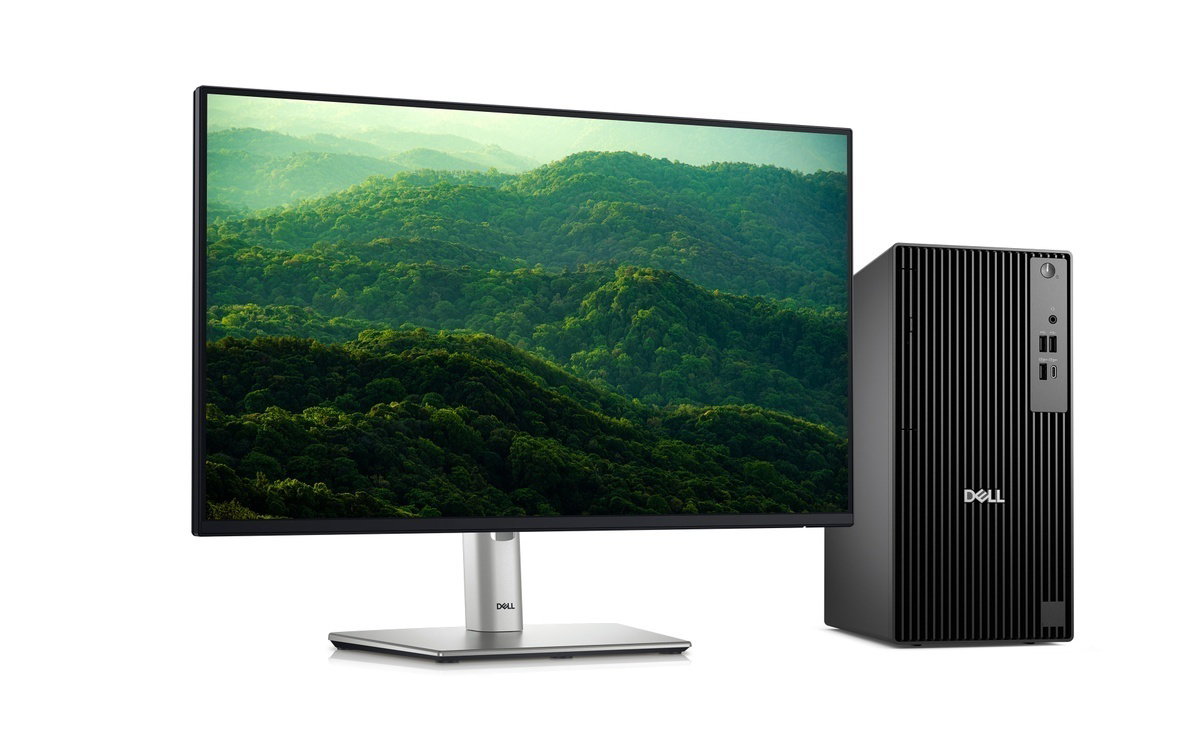
Advancing sustainability
Innovative materials
The Dell Pro Tower is crafted with 44% post-consumer recycled plastic and closed loop plastic¹⁶. Dell continues to lead the industry in the use of 50% recycled steel in the chassis of this desktop¹⁷. Plus, it ships in packaging made with up to 100% recycled content or renewable content¹⁸.
Reduce e-waste when modernising your tech
We can help you responsibly and securely retire your legacy IT equipment, regardless of brand, while addressing your sustainability goals.
Raising environmental standards
This product is certified ENERGY STAR® and registered EPEAT Gold with Climate+. It also meets the latest TCO Generation 10 certification, meaning it meets best-in-class standards for energy use and repair19,


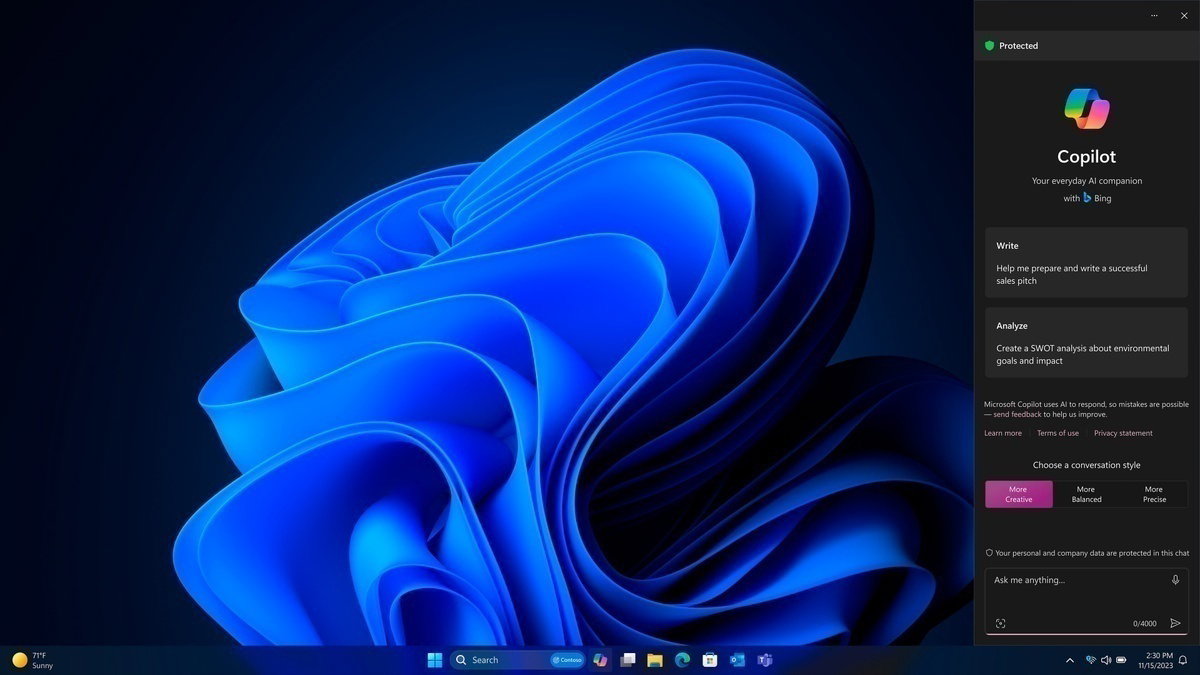
Accelerate business success with Copilot and Windows 11 Pro
Industry-leading AI. Powerful cybersecurity. Designed for business.
AI-powered multi-tasking mastery for a new way of working with Windows 11 Pro. With features like Copilot in Windows²⁰, get better answers, grow your skills, and effortlessly optimise workflows. Windows 11 Pro on Dell PCs come with the latest advances in security and AI delivered conveniently to your PCs. Benefit from AI-enhanced efficiency, performance, and security today, and innovate to take on new challenges tomorrow.
Ports and slots
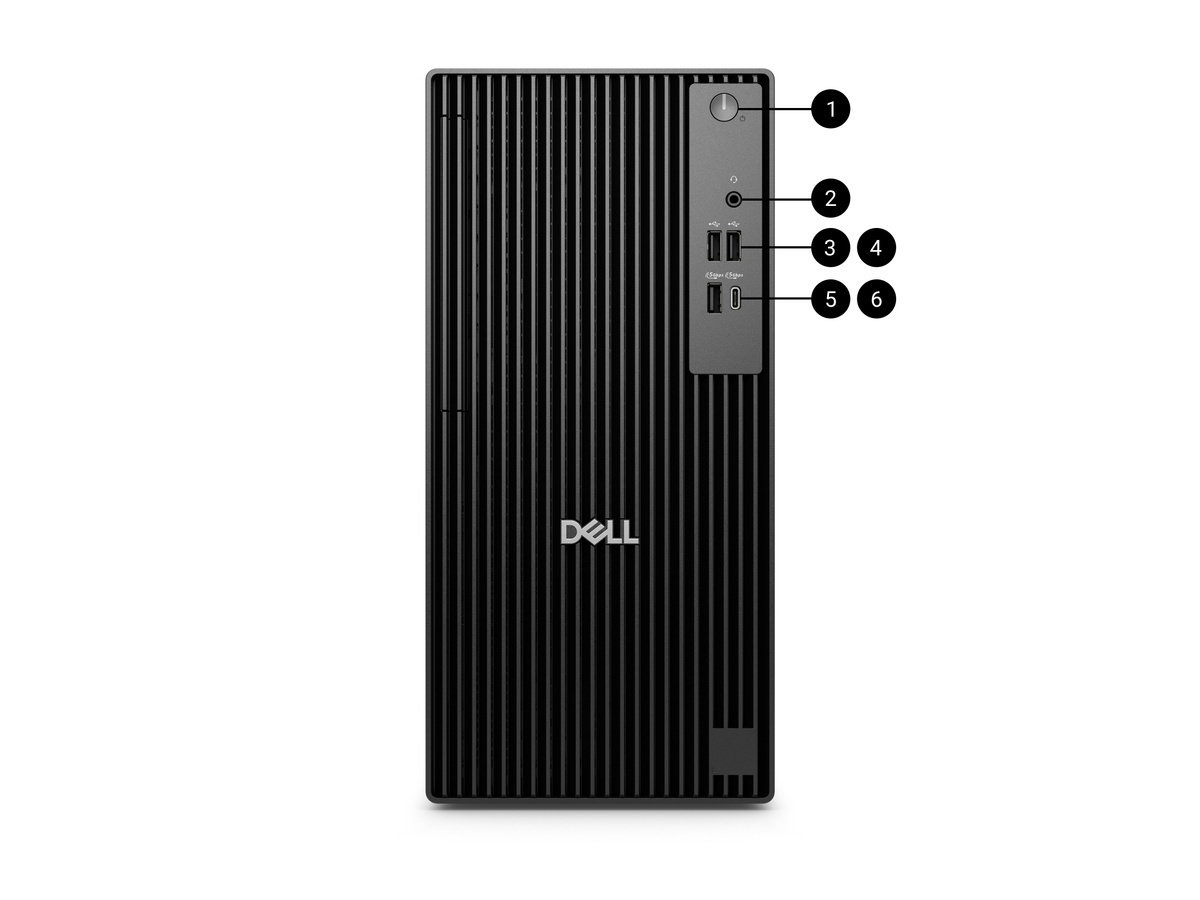
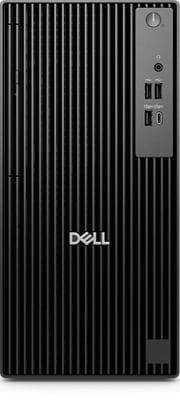
Front side
1. Power Button with diagnostic LED
2. Global Headset Jack
3. Optical Disc Drive (optional)
4. USB 2.0 (480 Mbps) Type-A Port
5. USB 2.0 (480 Mbps) Type-A Port
6. USB 3.2 Gen 1 (5 Gbps) Type-A Port
7. USB 3.2 Gen 1 (5 Gbps) Type-C Port
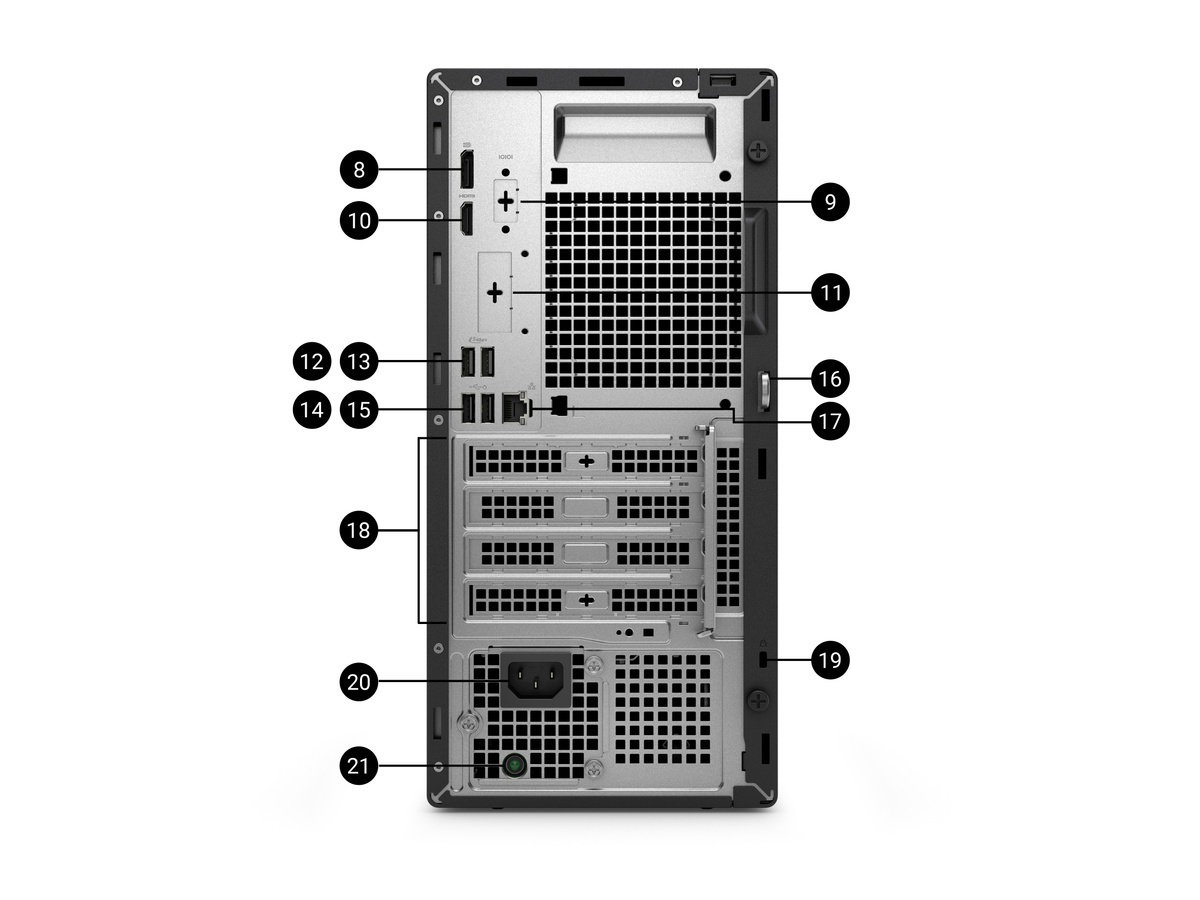
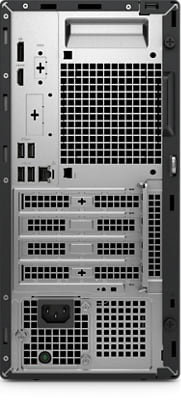
Rear side
8. DisplayPort 1.4a, up to 5120 x 3200 @60Hz with Intel® Core™ Ultra (Series 2) processors; up to 4096 x 2304 @60Hz with Intel® Core™ (14th Gen) processors
9. Serial Port (optional)
10. HDMI 2.1, up to 4096 x 2160 @60Hz
11. Optional port (Choose 1):
•HDMI 2.1, up to 5120 x 3200 @60Hz with Intel® Core™ Ultra (Series 2); up to 4096 x 2160 @60Hz with Intel® Core™ (14th Gen)
•DisplayPort 2.1, up to 7680 x 4320 @60Hz with Intel® Core™ Ultra (Series 2); 1.4a, up to 5120 x 3200 @60Hz with Intel® Core™ 14th Gen
•VGA, up to 1920 x 1200 @60Hz
•USB 3.2 Gen 2 (10 Gbps) Type-C with DisplayPort Alt Mode port, up to 5120 x 3200 @60Hz
•2 x USB 3.2 Gen 2 (10 Gbps) Type-A Ports
12. USB 3.2 Gen 1 (5 Gbps) Type-A Port
13. USB 3.2 Gen 1 (5 Gbps) Type-A Port
14. USB 2.0 (480 Mbps) Type-A Port with SmartPower On
15. USB 2.0 (480 Mbps) Type-A Port with SmartPower On
16. Padlock Ring
17. RJ-45 Ethernet Port (1 Gbps)
18. Three Expansion Slots:
One Full-height PCIe x1 slot
One Full-height PCIe x1 slot
One Full-height PCIe x16 slot
19. Kensington Security Cable Slot
20. Power-cord Connector Port
21. Power-supply Diagnostic Light
Dimensions and weight

1. Width: 154.00 mm (6.06")
2. Depth: 293.00 mm (11.54")
3. Height: 324.30 mm (12.77")
Starting weight: 5.44 kg (12.00 lb)²¹
Regulatory Product Compliance & Environmental
In addition, Dell products are developed with design for the environment in mind. Our environmental stewardship program drives conservation of product energy consumption, develops methods to reduce or eliminate materials for disposal, prolongs product life span, and provides effective and convenient equipment recovery solutions.
1. Based on Dell internal testing against publicly available comprehensive information, November 2024.
2. Based on Intel testing, October 2024. As measured by processor power during 1x1 Zoom call with background blur on NPU. Results may vary. See www.intel.com/PerformanceIndex for workloads and configurations. Results may vary.
3. Based on Intel testing, October 2024. As measured by Adobe After Effects AI Scene Edit Detection feature. Results may vary. See www.intel.com/PerformanceIndex for workloads and configurations. Results may vary.
4. Most secure is based on Dell internal analysis, October 2024. Applicable to PCs on Intel processors. Not all features available with all PCs. Additional purchase required for some features. Validated by Principled Technologies. A comparison of security features, April 2024. Most-manageable commercial PCs when comparing the systems management capabilities of Dell Update Processes, Dell Manageability Solution capabilities and integrations with 3rd Party Management Solutions, with competitor update processes, systems management solution capabilities and integrations with 3rd party management solutions. 3rd Party Management Solution - Microsoft Intune, is a separate purchase. Based on Dell internal analysis, January 2025.
5. Based on third-party testing conducted in Jan, 2025. Passed 14 MIL-STD-810H tests. Actual results may vary; testing results do not guarantee performance under test conditions.
6. Versus the previous generation. Based on Dell internal testing, January 2025.
7. Optional DisplayPort supports up to 8K resolution, HDMI supports up to 5K resolution; please refer to technical specs for details.
8. Wi-Fi 7 certified products will roll out in accordance with the Wi-Fi Alliance certification schedule throughout 2024. WiFi 7 requires the latest Wi-Fi Alliance certification, Windows HLK certified device driver, hardware update, supported Windows OS version and compatible router. Wi-Fi 7/ 6E connectivity (6 GHz) with Windows 11 is limited and will leverage prior generation of Wi-Fi until drivers are available and hardware adoption increases. Ubuntu OS will not support Wi-Fi 7 and will operate on WiFi 6E/6 speeds when configured for WiFi 7. Router requires a separate purchase. Wi-Fi 7/ 6E (6 GHz) connectivity is only available in select locations. Check availability with your service provider. The Bluetooth wireless card version may vary depending on the operating system that is installed on your computer.
9. Dell Pro Tower and Tower Plus. Based on Dell internal analysis of publicly available data, December 2024.
10. Support for (4) displays is enabled by daisy-chaining via DisplayPort 1.4a. Maximum display resolution and refresh rates are contingent on selected video port specifications and may be limited by each additional display connected by daisy-chain. This is the expected display resolution when connecting 1 or more of your display(s) to:One Native DisplayPort 1.4a – One display: up to 5120 x 3200 @60Hz resolution -or- – Two displays via MST/daisy-chain: up to 3840 x 2160 @60Hz resolution -or- – Three displays via MST/daisy-chain: up to 2560 x 1600 @60Hz resolution -or- – Four displays via MST/daisy-chain: up to 2560 x 1440 @60Hz resolution; Two Native DisplayPort 1.4a – Two displays: up to 5120 x 3200 @60Hz -or- – Three displays: one up to 5K @60Hz resolution, two via MST/daisy-chain: up to 3840 x 2160 @60Hz resolution -or- – Four displays via MST/daisy-chain: up to 2560x1440 @60Hz resolution; Three Native DisplayPort 1.4a – Three displays: up to 5120 x 3200 @60Hz resolution –or- – Four displays: two up to 5K resolution, two via MST/daisy-chain: up to 3840 x 2160 @60Hz resolution Please visit Dell.com/Support and search for technical support resources for your Dell Pro Desktops, and Dell Displays and Peripherals (by product model number) for more details on setup and troubleshooting.
11. Dell Pro Micro, Slim and Tower PCs with Intel® processors.
12. Based on Dell Quality Intelligence (Qi) tool - Dell Internal Analysis, January 2025.
13. Based on Dell internal analysis, October 2024. Applicable to PCs on Intel processors. Not all features available with all PCs. Additional purchase required for some features. Validated by Principled Technologies. A comparison of security features, April 2024.
14. Based on Dell internal analysis, January 2025. Most-manageable commercial PCs when comparing the systems management capabilities of Dell Update Processes, Dell Manageability Solution capabilities and integrations with 3rd Party Management Solutions, with competitor update processes, systems management solution capabilities and integrations with 3rd party management solutions. 3rd Party Management Solution - Microsoft Intune, is a separate purchase.
15. Payment solutions provided and serviced by Dell Financial Services L.L.C. or its affiliate or designee (“DFS”) for qualified customers. Offers may not be available or may vary in certain countries. Where available offers may be changed without notice and are subject to product availability, applicable law, credit approval, documentation provided by and acceptable to DFS and may be subject to minimum transaction size. Offers not available for personal, family or household use. Dell Technologies and the Dell Technologies logo are trademarks of Dell Inc. Restrictions and additional requirements may apply to transactions with governmental or public entities. Dell APEX PCaaS: At the end of the contract, the customer may renew the contract or return the equipment to DFS.
16. Based on internal analysis, January 2025. Percentage is based on system plastic weight. Post-consumer recycled plastic: 38%, Closed-Loop ITE derived plastic: 5%.
17. Percentage applies to total steel weight in the chassis. Includes OptiPlex Micro, OptiPlex Micro Plus, OptiPlex Tower, OptiPlex SFF , OptiPlex SFF Plus, Dell Pro Micro, Dell Pro Micro Plus, Dell Pro Tower, Dell Pro Slim and Dell Pro Slim Plus. Based on internal analysis, January 2025.
18. Contains up to 53% recycled content and up to 53.7% renewable materials. Renewable materials in the form of sustainably forested materials. Percentages may vary slightly by region and formfactor. Excludes optional items added to order and included in the box.
19. Based on internal analysis, January 2025. EPEAT registered where applicable. EPEAT registration varies by country. See www.epeat.net for registration status by country.
20. Copilot is only supported in selected regions.Timing of feature delivery and availability varies by market and device. Use Copilot with a Microsoft Account or use Copilot with commercial data protection at no additional cost by signing into a work or school account (Microsoft Entra ID) with Microsoft 365 E3, E5, F3, A3 or A5 for faculty, Business Premium, and Business Standard. Coming to more Entra ID users over time.
21. Weights vary depending on configuration and manufacturing variability.