

PD2770U | 27" 4K Color Management Monitor for Graphic & Video Editing
Always Accurate and Consistent Colors for Creative Individuals and Studios

Accurate Colors, Right Out of the Box
Reliable Quality for Studios
Developed beyond standard compliance, BenQ AQCOLOR technology ensures corner-to-corner uniformity and precision with 99% Adobe RGB, 99% DCI-P3, and 100% Rec.709 coverage. This gives professionals confidence that their colors remain consistent from first draft to client delivery.
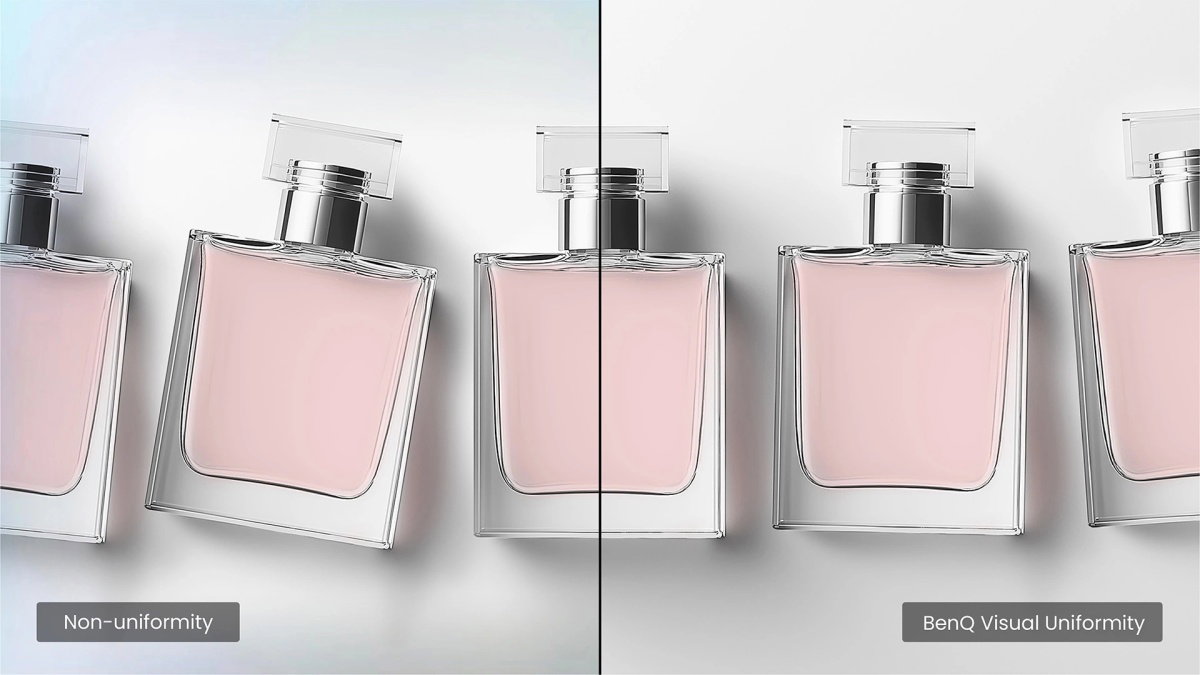
Corner-to-Corner Uniformity
No dim corners, no uneven tones. Just consistent brightness and color across the screen, thanks to BenQ corner-to-corner uniformity. Now you can create with confidence.
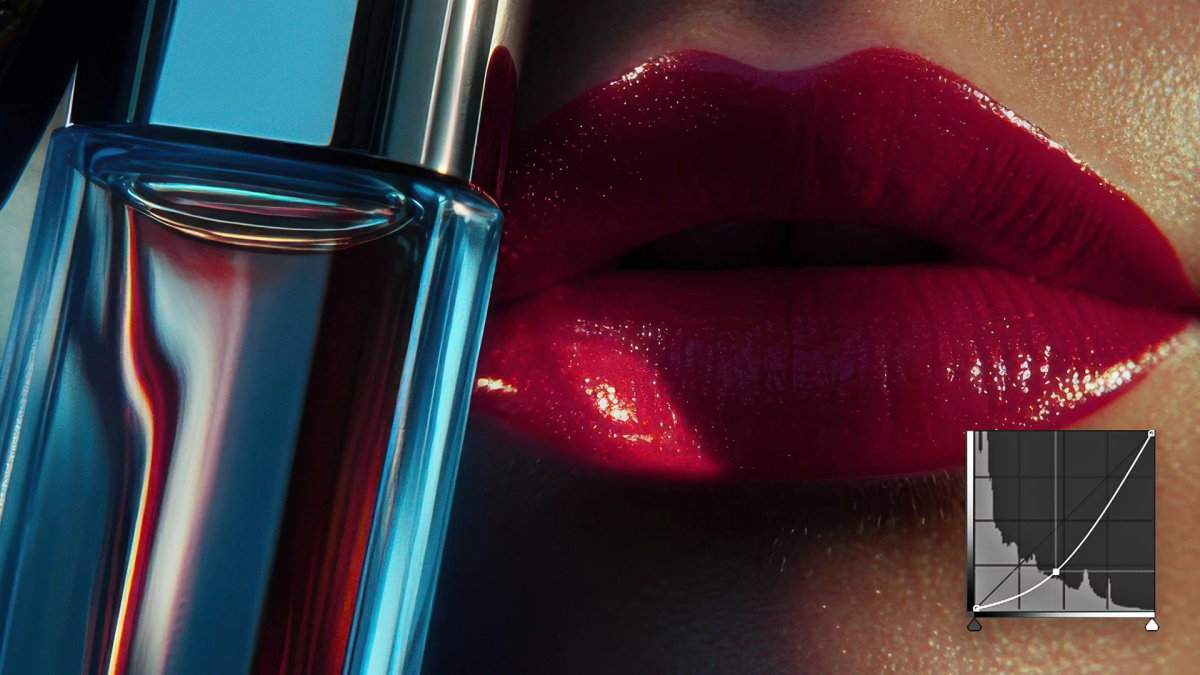
Dark Tone Reproduction
Smooth gradients, natural transitions, and shadow details that stay true for 2D and 3D work, powered by BenQ-exclusive dark tone calibration. The result: sharp focus and immersive storytelling.

Color Management Simplified
For creative teams, every color decision matters. BenQ color management solutions keep colors consistent across displays and projects, with no extra tools, no added workload, and no wasted hours.

Hardware Calibration
1. Accuracy That Doesn’t Drift
By adjusting the monitor’s LUT directly, hardware calibration keeps colors consistent across devices and over time. It prevents drift, time-consuming project reworks, and ensures client-ready results every time.
Built-in Calibrator
2. Pro Accuracy with Zero Hassle
With calibration built directly into the monitor, you get pro-level accuracy without extra devices or added costs. Just reliable precision at your fingertips.

Light-Adaptive Calibration
3. Calibration Optimized for Your Lighting
Our Light-Adaptive Calibration senses your studio lighting, then adjusts automatically with optimal settings. The result is precise, environment-specific color—effortless and ready to use.

Magnetic Shading Hood
Snap On and Focus Instantly
This included one-piece magnetic shading hood snaps into place instantly—no tools or assembly required. By blocking ambient light and glare, it allows you to see your work accurately and create without distractions, helping designers stay fully focused.
*Landscape use only.

Nano Matte Panel
No Reflections and Comfortable Eyes
BenQ’s Nano Matte Panel diffuses ambient light and reduces ambient glare, letting you work with less reflections and see your work clearly. Your eyes will stay comfortable during long design sessions.
Control Your Workflow Instantly


BenQ Display Pilot 2
BenQ’s free Display Pilot 2 software lets you organize key functions like ICCsync and Desktop Partition into streamlined workflows that adapt to your design needs in a faster, smoother, and more flexible way.
Wireless Hotkey Puck
Hotkey Puck syncs with Display Pilot 2 for effortless monitor control. Three customizable keys provide instant access to Color Mode, Input, KVM, or app launch, while the rotation dial adjusts brightness, contrast, and volume—no menus needed. So you stay focused on work without distraction.

Less Clutter, More Control
All-in-One USB-C for Mac Compatibility
Transfer data and up to 96W power via one USB-C. Thunderbolt 3/4 works seamlessly with BenQ displays for a smooth workflow.
Reliable RJ45 Wired Connection
With RJ45, connect monitors for networked management, synced color settings, and scheduled auto-calibration to keep team-wide consistency.

Built-in KVM
Seamless Mac & PC Control
Onboard KVM for seamless Mac and PC control. Switch effortlessly using one keyboard and mouse, keeping your workflow smooth even during heavy rendering or design tasks.
Built-In Ergonomic Comfort
Adjust your monitor to the perfect angle with flexible tilt, swivel, and pivot control, with the built-in ergonomic stand. Whether designing or presenting to clients, you’ll always enjoy the right view to work comfortably and confidently.

Pivot 90°

Swivel 15°/15°

Tilt -5°~20°